Self-hosted AI customer support
Sentinel Chat: customer support AI you actually own
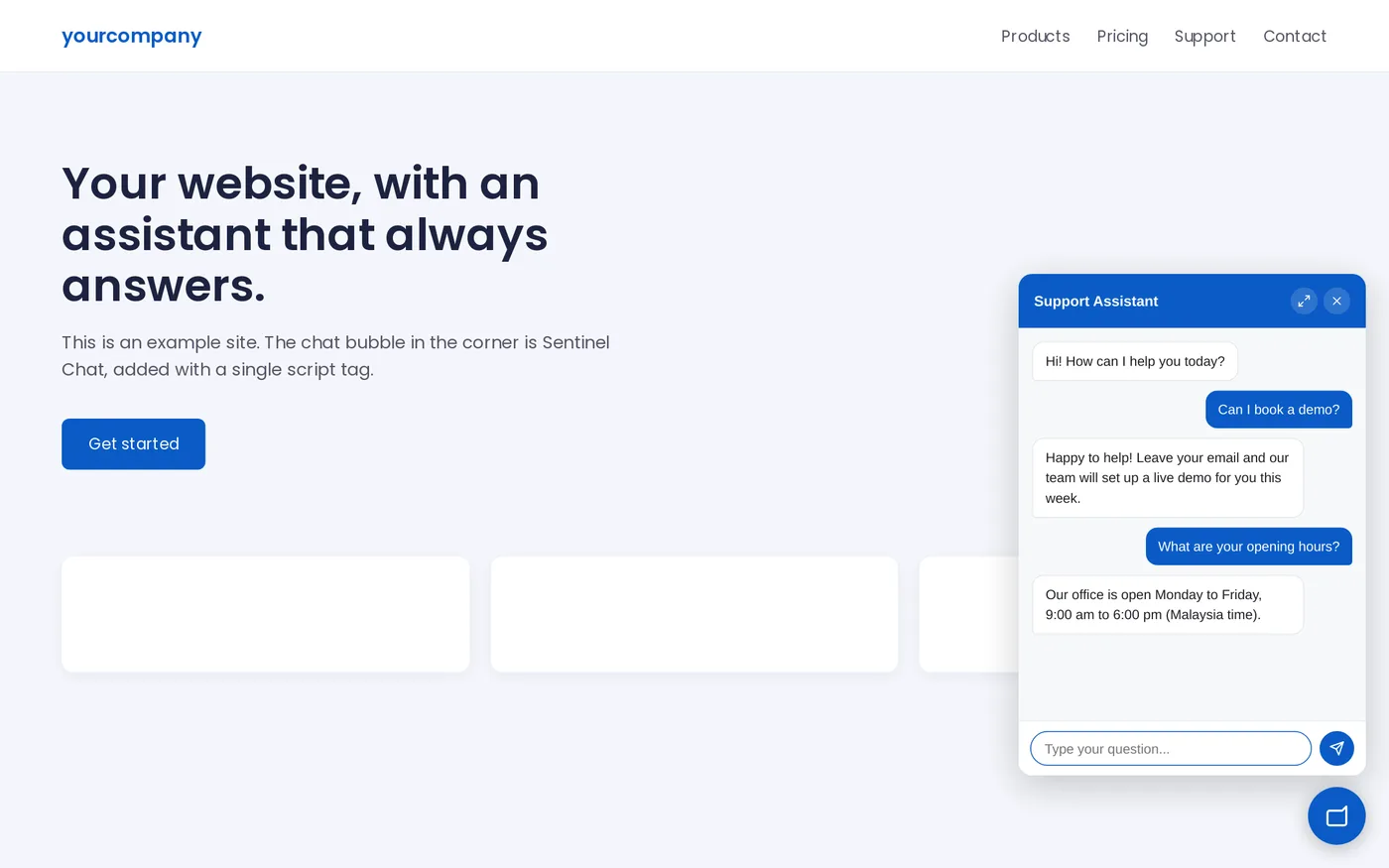
The self-hosted AI support widget that never leaves a customer hanging. Works with any AI provider, learns from your PDFs, and speaks English and Bahasa Melayu.
1
Python process
1
<script> tag to embed
50+
Built-in help topics
2
Languages: English and Bahasa Melayu
What it is
One Python process. One file.
Three things working together to put a support assistant on any website, with nothing to provision and no external services to keep alive.
The feature nobody else ships
Graceful fallback: your bot keeps answering even when the AI can't
Zero-downtime answers, controllable costs (switch to non-AI mode any time), and no scary error messages in front of customers.
New
Answers straight from your documents
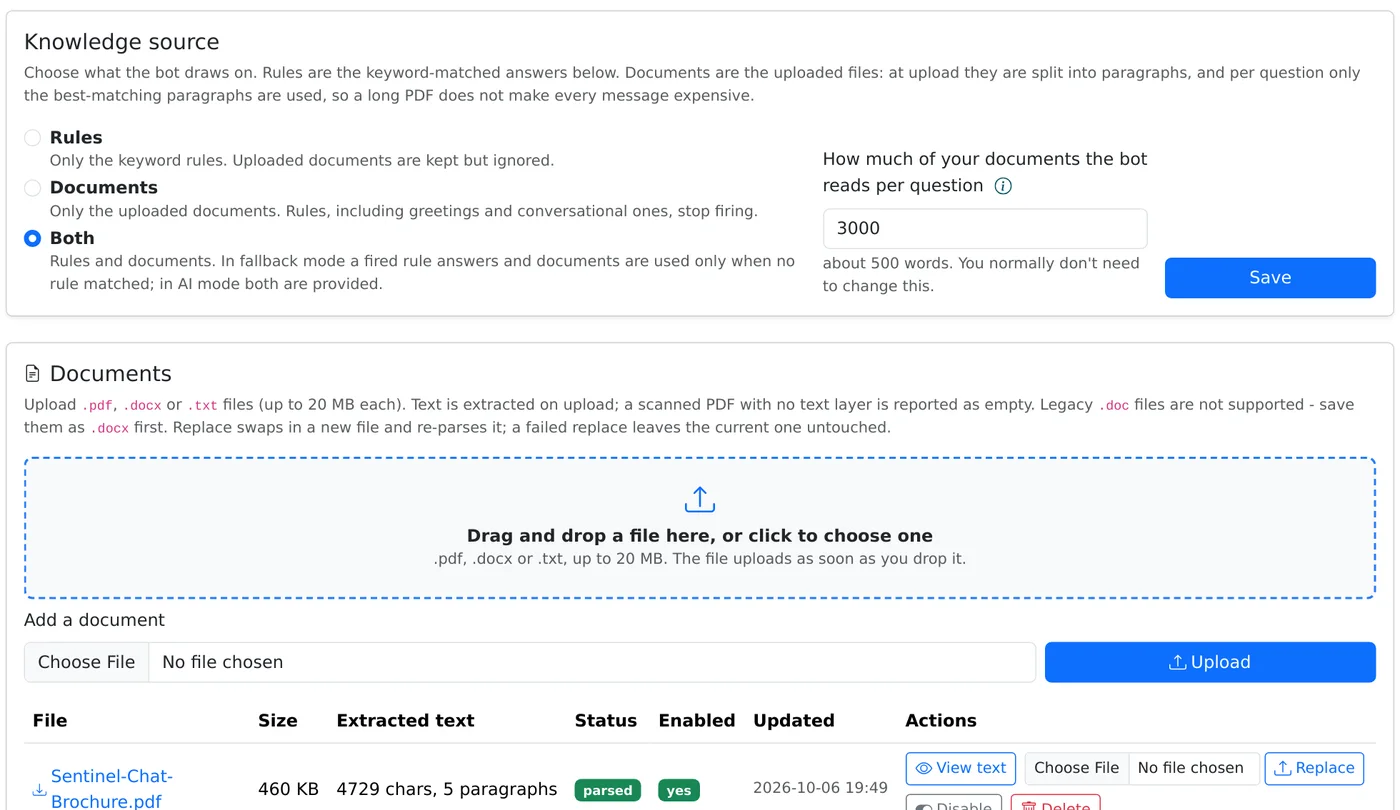
Upload the PDFs and Word files you already have. No keywords to write, no vector database.
Your knowledge source
Rules, documents or both
- Rules, documents or both: one switch picks what the bot draws on.
- Costs stay flat: only matching paragraphs reach the AI.
- Works without AI: in fallback mode the best paragraphs answer directly.
- See what it sees: view the exact text the bot can find in each file.
Everything in the box
Serious capability, zero operational drag
Built for the team that runs it
No developer needed after setup
Staff manage answers, check changes and fix problems from the browser, in English or Bahasa Melayu.
- Built-in help: over 50 searchable topics, from first login to troubleshooting.
- Test the LLM connection: one click names the problem: bad key, no credit, wrong model.
- Demo console: try the live widget and see whether the AI or the fallback answered.
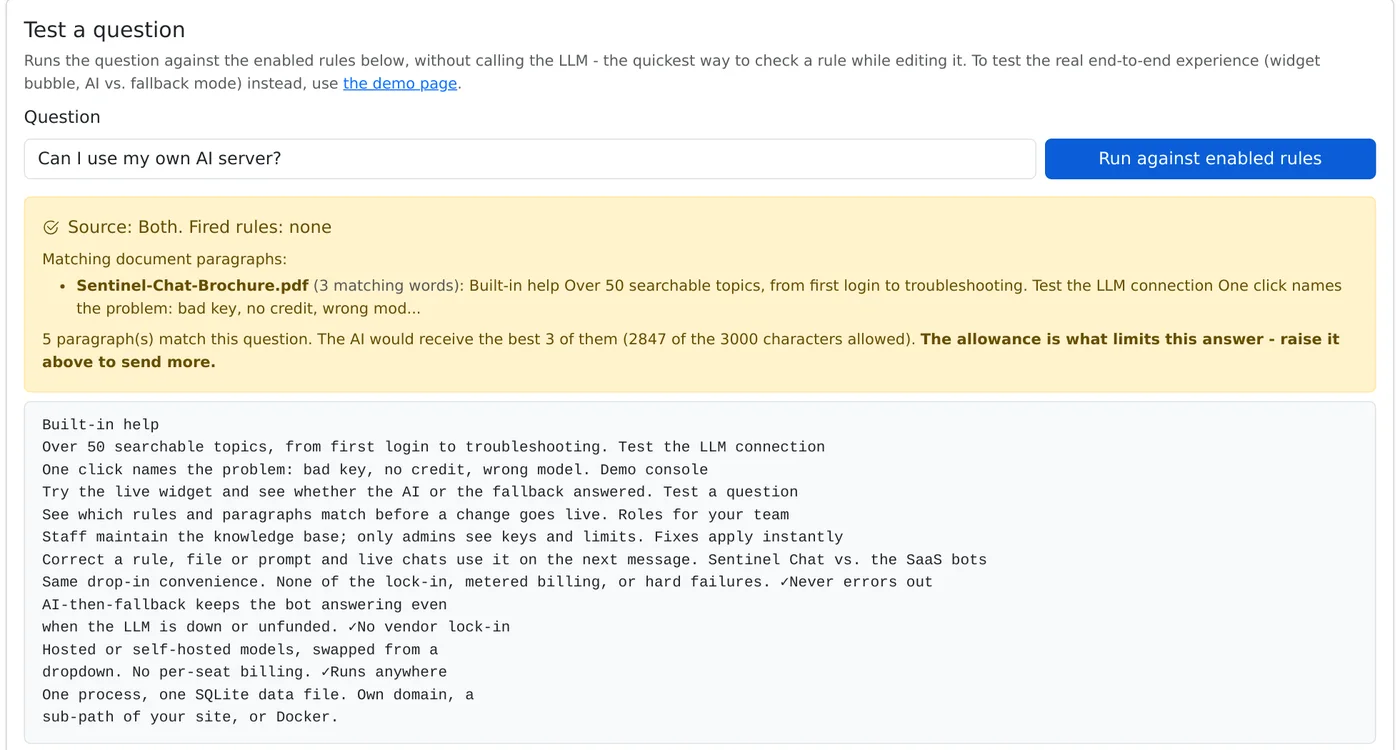
- Test a question: see which rules and paragraphs match before a change goes live.
- Roles for your team: staff maintain the knowledge base; only admins see keys and limits.
- Fixes apply instantly: correct a rule, file or prompt and live chats use it on the next message.
Why teams choose it
Sentinel Chat vs. the SaaS bots
Same drop-in convenience. None of the lock-in, metered billing or hard failures.
Live in three steps
Live on your site in three steps
- Install and run: one Python process (pip install, then uvicorn), or the Docker image.
- Configure once: log into the admin panel, pick your provider and model, add your API key (encrypted at rest), add rules or upload documents, and set allowed origins.
- Paste one tag: add the script tag to any page and set bot name, greeting, quick actions, brand colour, corner and language through data-attributes.
<script src="https://chat.yourserver.com/static/widget.js"
  data-endpoint="https://chat.yourserver.com/api/chat"
  data-bot-name="Assistant"
  data-theme="#4f8cff"
  data-lang="ms"></script>
Prefer server-to-server? A signed, asynchronous webhook integration ships in the box too.
Own your support AI
One process, one folder, one script tag. Ask us for a demo on your own website, in English or Bahasa Melayu.
Request a demoEmail us Quick check that you are human: